Streaming from the CueSportAi app is free for every club and player

Go live with the score on screen.

Stream snooker and pool to YouTube from a phone, a Stream Box or OBS. The score overlay updates itself from the scoreboard, and commentators can join from anywhere.

Free on iPhone and Android

Download on the App StoreGet it on Google Play

Watch the video

Three ways to go live

Pick what suits the table. All three use the same scoreboard and the same overlay.
📱

The CueSportAi app

Score and stream from one phone at the table: sign in with YouTube, tap Go live, and the overlay is part of the video. Use the phone's camera, or an IP camera with Plus.

🖥️

Stream Box

Our streaming software on a desktop at the club: one computer streams up to 8 tables with the cameras you choose, started and stopped from the app or the website. No AI hardware, no calibration.

Remote setup and staff training, plus a Stream Box subscription (required).

See Stream Box prices →

🎬

OBS or your own setup

Add the overlay to OBS or any streaming software as a browser source. It updates live from the scoreboard.

Remote commentary

Make every match feel like TV. A commentator talks over the live stream, from a phone in the club or from home on the website.
  • Their voice on the stream — the commentator's microphone goes straight into the table's live stream.
  • Draw on the table — a pen and straight lines in colour, seen by every viewer.
  • Show the cue ball — tap the strike point and viewers see it on the stream.
  • Switch cameras — change the table camera live, and put the commentator's own picture on the stream.
  • From anywhere — a phone at the club, or the website from home with a live table feed.
  • Your commentators — the club chooses who can commentate.

Remote commentary works on Stream Box and AI table streams, with the Broadcast add-on.

See the Broadcast add-on →

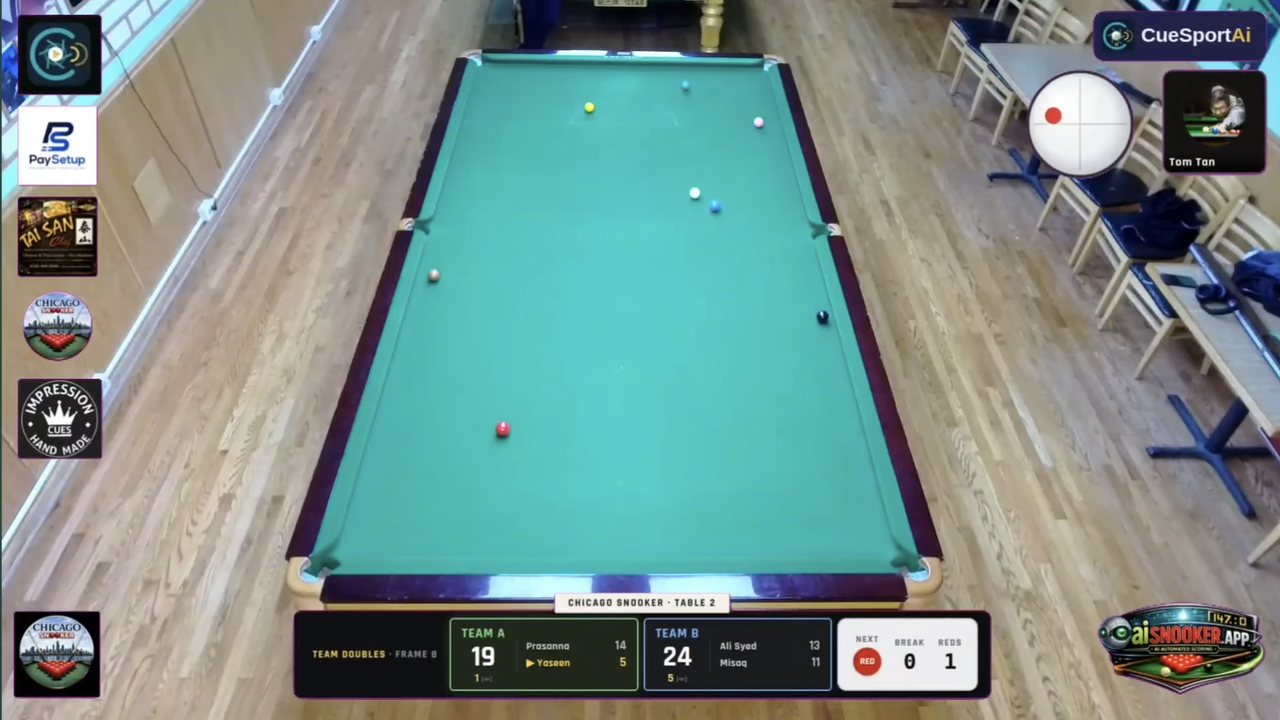
A live stream with remote commentary: the cue ball strike point and the commentator on screen
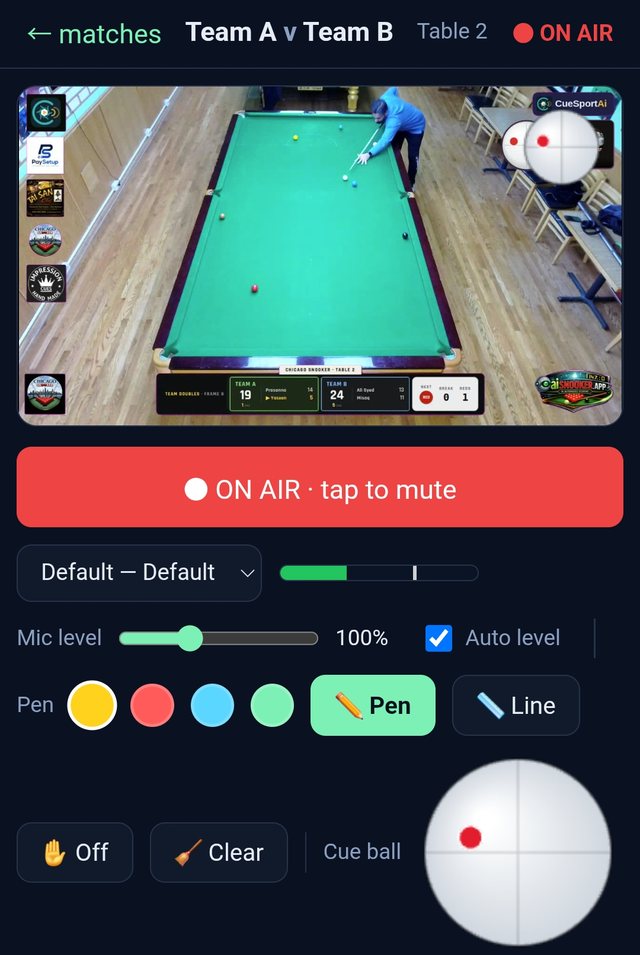
Remote commentary on a phone: the live table feed, mic level, pen colours and the cue ball strike point

Sponsors on every stream

Your club's sponsors and each player's own sponsors on the live video: a reason for local businesses to back your club and your players.
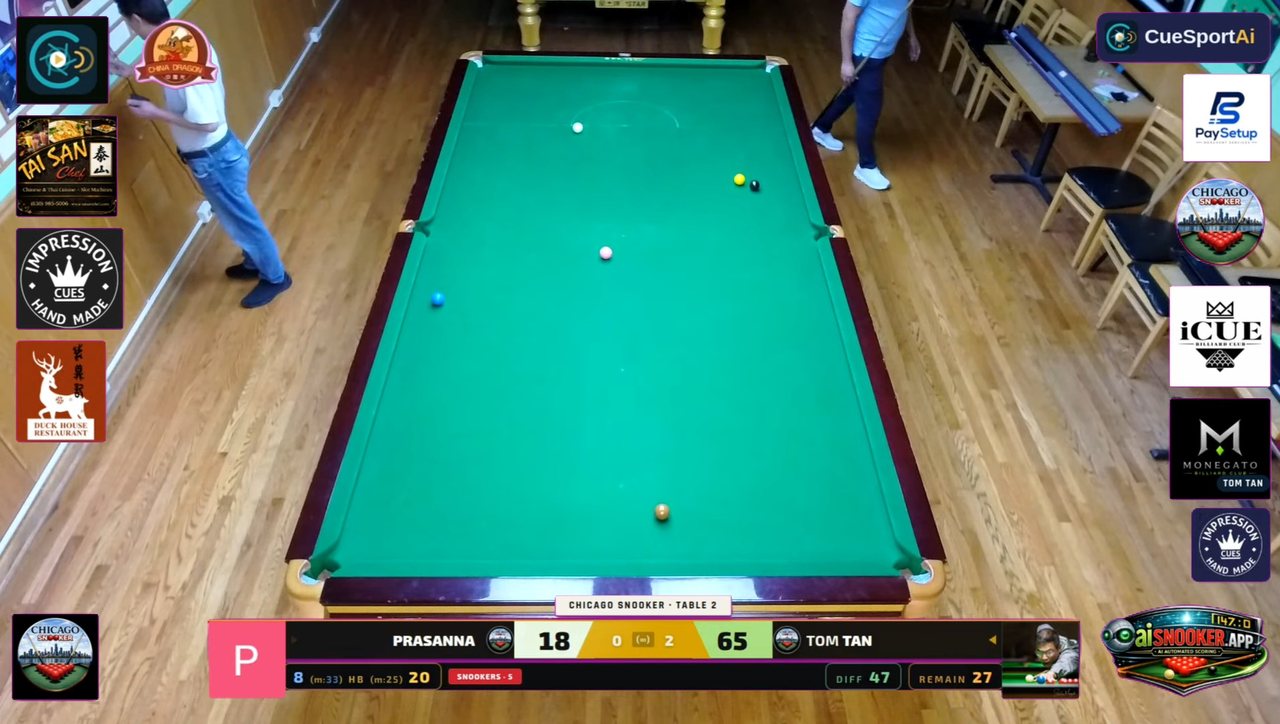
Club sponsors down the sides; Tom Tan's own sponsor, with his name, bottom right
🏢

Club sponsors

Your sponsors' logos run down the sides of every stream from your club: the app, the Stream Box and AI tables. Add them once in your club admin; your club plan sets how many spots you have.

🏷️

Player sponsors

Players add their own sponsors in the app or on their profile. Each one shows on the player's side of the stream with their name above it, taking turns, and on their profile. With a Plus or Pro player plan.

Club plans and player plans →

Streaming, Overlays & Remote Commentary

Broadcast-grade score overlays drop straight into OBS and update live from the match. Stream from a phone to YouTube, and let approved commentators join from anywhere — voice and telestration mixed into the broadcast.

  • Multiple overlay styles: broadcast, minimal, classic, pool
  • One-tap phone streaming with the overlay burned in — free in the CueSportAi app
  • Remote commentary studio — mic, draw-on-video telestration, live table feed
  • Sponsor logo slots on the overlay to monetise your stream
Broadcast overlay — live score bar over the table feed

Manual Scoreboard

A fast, reliable scoring interface for official matches, practice, clubs, coaching, and broadcast presentation. Perfect as a standalone module or paired with AI scoring.

  • Frame and match control
  • Professional visual layout for live use
  • Supports real-time updates and operator control
  • Ready for overlays, displays, and match history
Live snooker scoreboard control on a phone — scores, break, remaining and reds, with ball-by-ball buttons
Broadcast overlay score bar
The broadcast score bar your viewers see — live scores, break, difference and points remaining

How it works

A simple path from table activity to club operations and event presentation.
1

Create or launch a match

Select players manually, through club workflows, or via tournament assignments.

2

Score with AI or manual control

Run the match through AI-assisted scoring, operator-driven scoreboard control, or both.

3

Sync data across modules

Match information, players, and event progress stay aligned across the platform.

4

Show results professionally

Use integrated views for club staff, players, brackets, displays, and streaming overlays.

Get started today

Players: score and stream your matches free in the app. Clubs: tell us about your tables and we'll set you up, from a free scoreboard to AI scoring.

Download on the App StoreGet it on Google Play